
Thought i’d make a little post showing how I made the micro.wav logo for this website since it’s pretty easy to do and a fun thing to learn. You’ll need a vector graphics editor, I used Inkscape which is free and easy – that’s what I’ll show you the steps on, but if you have Adobe Illustrator than you already know how to do this go away
There are other ways to do it i’m sure but here are the steps I took:
- draw the logo with a thick sharpie, using grid paper and guidelines helps keep everything in order
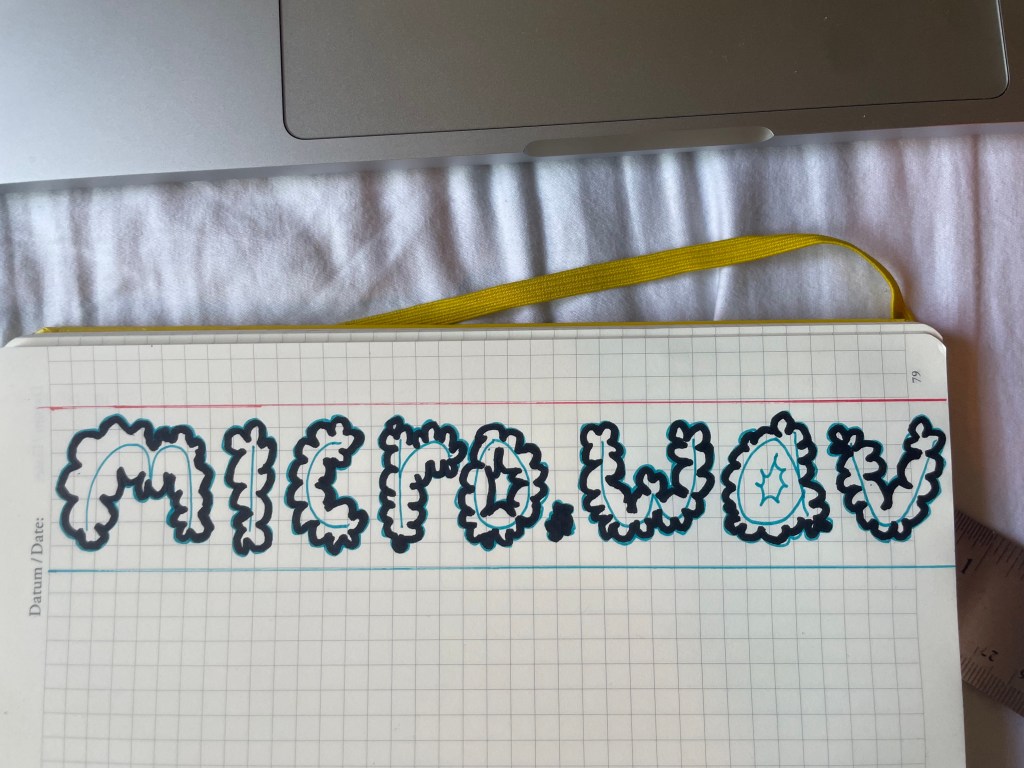
2. take a picture and drop it into inkscape. If you took a picture on your phone, you have to convert it to a jpeg first – to do this (on a mac) open the .heic file in preview, go to File->Export, and then in the export window change the format to jpeg
3. In inkscape, select your image and go to Path->trace bitmap:
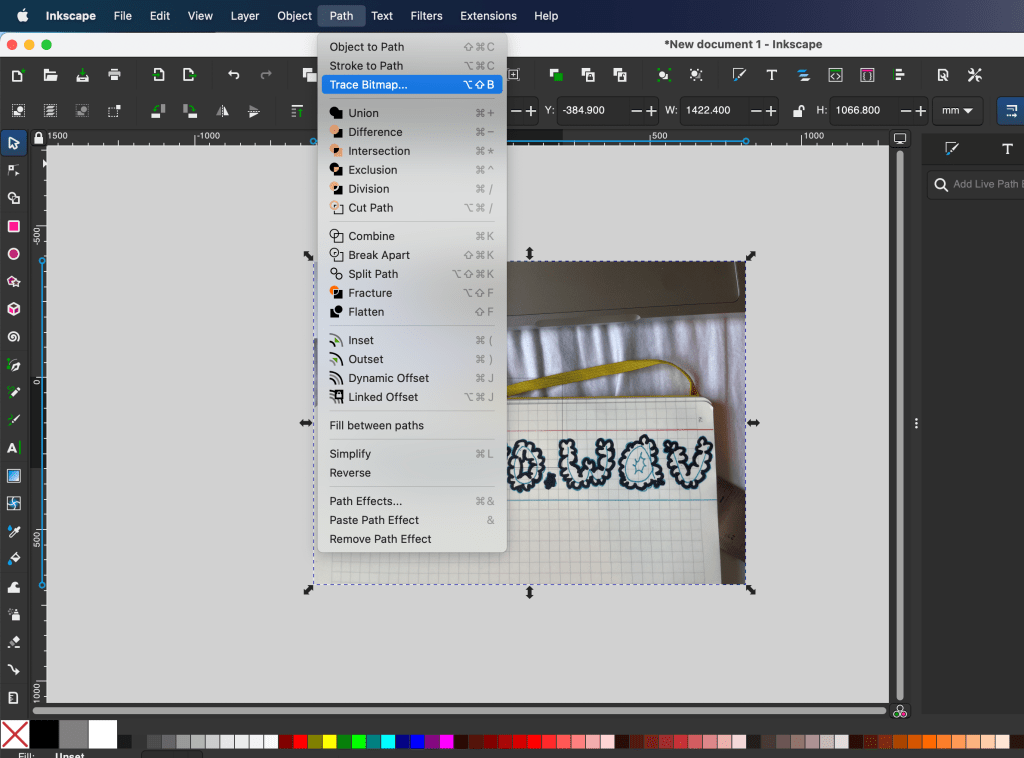
4. Basically this is creating a vector map of your image, ie reducing it to a series of points and lines that can be scaled/manipulated. There’s a bunch of different algorithms to do this but I found that setting “detection mode” to “brightness cutoff” and adjusting the threshhold to taste works pretty well
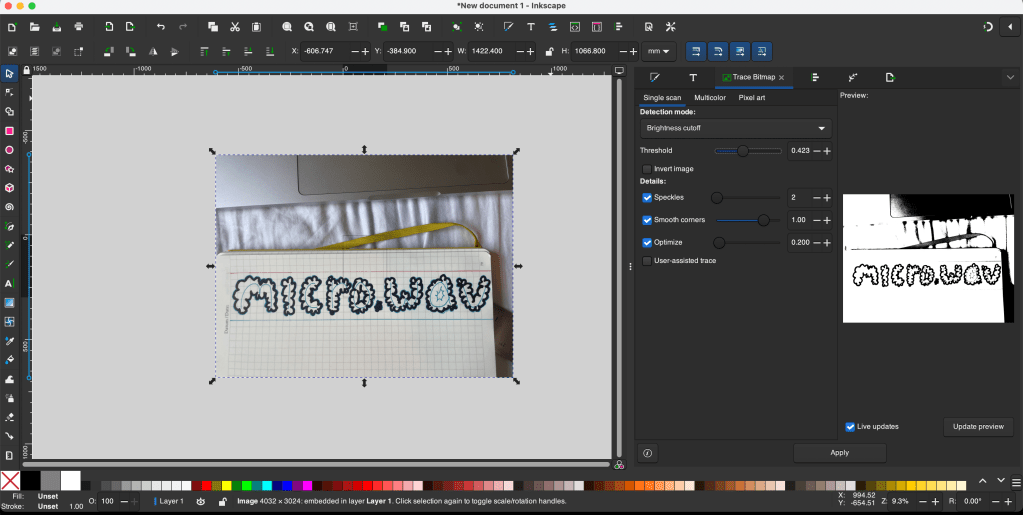
5. Hit apply and it’ll generate the vector graphic. This might take a second depending on the image you’re using. Try doing this on a picture of a grassy field or a furry animal and it might crash, fair warning.
6. Click and drag your vector graphic off your image – it generates it directly on top
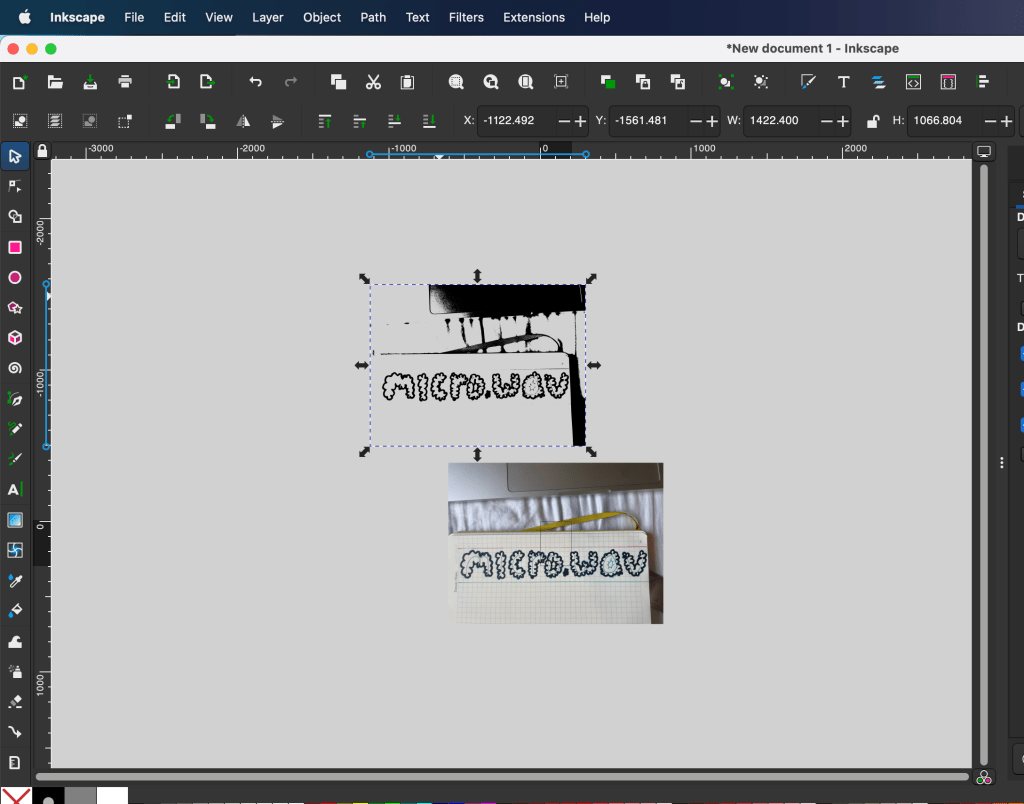
7. Now switch to the node tool, which lets you edit the actual vectors
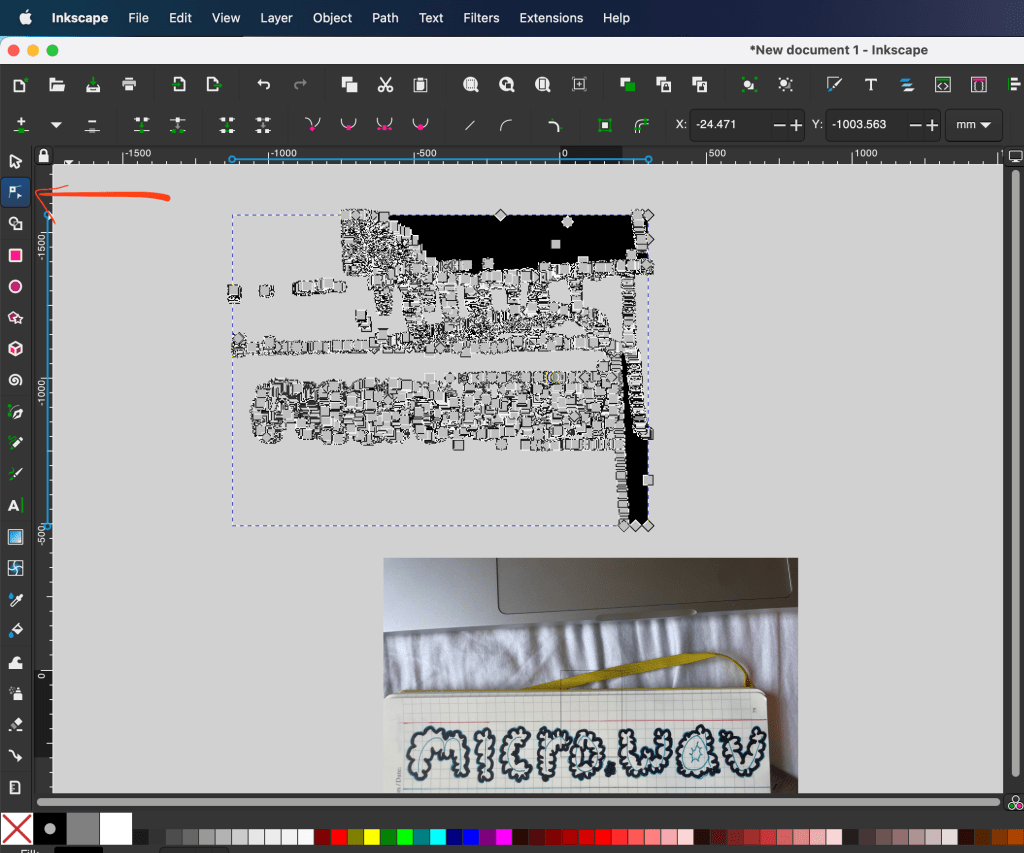
The node tool will let you go in and delete any points that arent part of the logo, so the whole top part of the image with my computer i can drag a square around and delete. The shadow off to the right side i can just delete, until the only nodes left are the ones in the actual logo.
Go back to the pointer tool and you should have something like this:
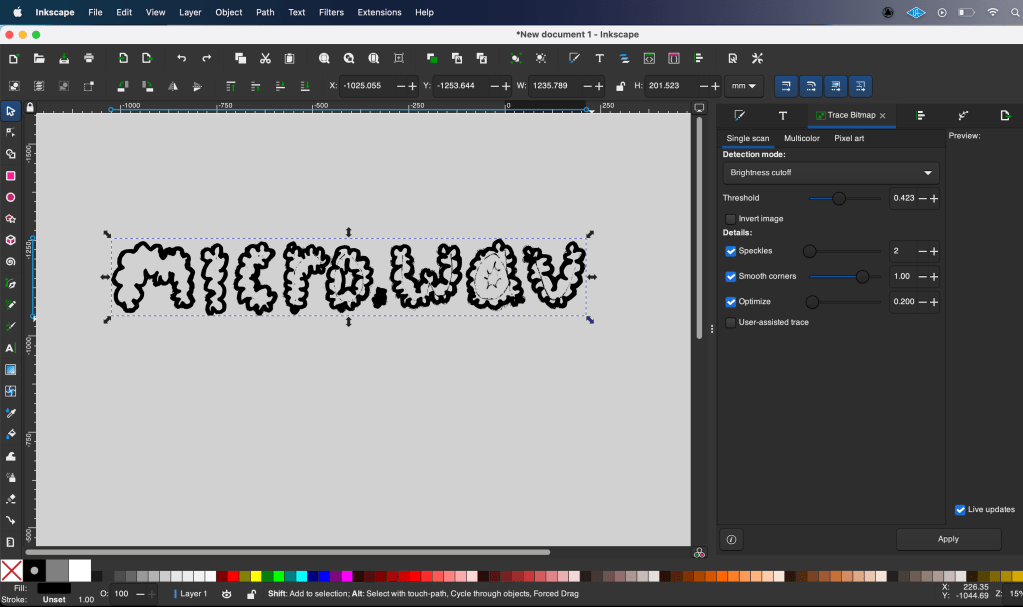
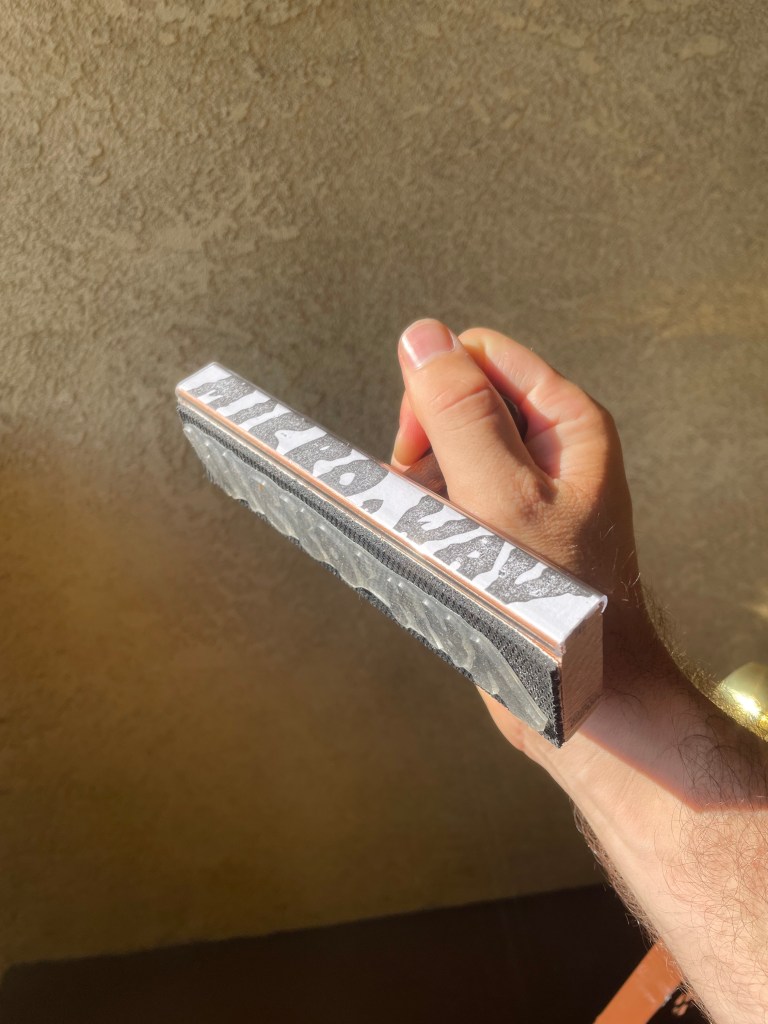
You can keep using the node tool to clean up the edges and inside, but at this point basically you’re done – you can change the color, scale it, transform it, use all kinds of weird filter algorithms, and then export it and put it on your website. Or you can send it to a custom stamp company and get a 6″ stamp of it made (not this logo but same process):
have fun!
-J
ps: Same process works for silk screening btw, that’s how i figured it out but that has more steps
 micro.wav
Leave a comment